Monday, April 20, 2015

Free for 2 days only!


I recently signed up with Kindle Unlimited, and decided to start off with a BANG.


I'm offering PLEASANTWICK...

*** FREE for 2 DAYS ONLY***
(April 20th and 21st)

Don't have a Kindle? They offer a free Kindle app for your many devices.

Click HERE for my Amazon page.

As always, I'd love to hear from my readers.
Please consider leaving a review on
Amazon and/or Goodreads.

Monday, March 30, 2015

You've Decided to Self-Publish. Now What?

You've written a book, passed it on to critique partners and beta readers, revised and edited, now the work really begins ... getting your precious work published.

Maybe you've tried the traditional route to no avail, or knew all along that you wanted to self-publish. Either way, knowing where to begin and what to expect can be daunting.

Here is "MY VERSION" of a to-do-list (marked with $ if there is a possible cost associated):

1. Decide your release date - You may not be ready right now. But start thinking about it. It will make the whole planning process easier.


2. Hire an editor ($) - I knew this might take the longest (depending on the editor's availability and length of process) so it's the first thing I did. There are a lot of them out there. It helps if you can get a referral from someone, but do your homework and ask questions. (What type of editing they offer? How many passes do they offer? etc...) This will also, most likely, be the most expensive part of the self-publishing process. 


3. Hire a cover artist ($) - I did this right away as well. I had decided years ago who I'd use if I ever got to this point in my writing career. I knew I'd have to wait to get a slot in her schedule.


4. Build a website ($) - I decided to create my own using GoDaddy. I had basic skills, but it can be time consuming and may not be for everyone.

5. Write 2 author bios - A short one and a long one. You'll need these many times along the way.


6. Get a nice author photo taken ($) - It doesn't have to be professionally done and costly, but it shouldn't be a selfie in your car or a photo where you've cropped out the person next to you at the party. It should be good quality and ideally have two versions (high-resolution for print and low-resolution for online use).  


7. Write the back cover blurb - Like a query, this can be tough to write. In the end, I paid my editor to write it (cost was minimal) but not all of them offer this type of service. It's also a good idea to prepare ...

  • A short (1 or 2 sentence) summary. So you have an answer when people ask "What's your book about?"
  • A tagline
  • Several enticing tweetables (meaning less than 140 characters)

8. Write your acknowledgements page

9. Write your copyright page


10. Make a list of keywords - You'll need these when uploading to different sites. The more the better.


11. Start creating buzz - Add your book to Goodreads, do cover reveals, blog tours, etc...


Secondary to-do-list - Once you have your edits complete and you're ready to move on:


1. Add your front and back matter to your document - Keep placement in mind. I suggest title and copyright page first, then manuscript, followed by acknowledgements and about the author, because:

   A) Readers may stop reading. Put the important stuff first.
   B) Putting it all at the front is a pain to scroll through on an e-reader and it affects the length of your all-important sample pages.


2. Now you need to properly format your document ($) - Undoubtedly, you've spent months, even years working on your book. Don't cut corners now, and turnout a sub-par product. I did a lot of research on the proper formats for uploading your book to the various sales channels.

Disclaimer: I AM NOT AN EXPERT. But this is what I found.


Sure you can just export an .epub file from your word processor or use a conversion service, and it might work okay for some eBook readers. But on other readers it could be a mess. And there's nothing more frustrating that purchasing an eBook and running into formatting errors.


However, If properly formatted, you'll end up with a professional looking book that is free of formatting errors on any device. (And chances are, you'll sell more eBook copies than physical copies.)


If you create an HTML file as your source for your eBook, you'll take a lot of the guessing out of the equation. An HTML file will always look the same, no matter what device or software is being used.


Guido Henkel has a nine-part series on Taking pride in your eBook formatting


If you aren't comfortable with formatting, you can hire a formatter.


3. You'll need multiple versions of your document -

   1) A MOBI file for Amazon
   2) An EPUB file for Barnes & Noble and KOBO
   3) A PDF for Createspace, using their templates.
   4) A clean Microsoft Word document for Smashwords, using their style guide.

3. Decide on pricing - I found that each site had user friendly conversion tables and explained prices and royalties pretty well.

4.ISBN numbers - (International Standard Book Number) is a unique code that identifies, among other things, the publisher of the book. Each edition needs its own (ie, hard cover, paperback, and digital copies). They can be purchased through Bowker (US only). However, for most sites you don't need to purchase your own.


5. Upload to KDP (Kindle Direct Publishing) - This is for the Amazon Kindle version of your book. They will assign an ASIN# (their tracking code) so no ISBN is required. This site is easy to navigate. I believe this process can take up to 48 hours before you see it go live. Bonus: they offer the availability for customers to pre-order before the release date. 

6. Upload to Createspace - This is for a paperback version of your book. They will assign a free ISBN number. I found this site easy to navigate. It may take a little longer to complete. You need to choose trim size, cover style, paper color, etc... From here, you can also allow "all distributions and libraries" -- a nice shortcut.

You can preview your book in a viewer, but I also recommend ordering a physical proof copy (approximately $5).  Mine came within four days, and I decided on changes after I saw it in print.
Once you've approved everything and clicked "Publish" it will take some time to appear.
24-48 hours to go live on your personal Createspace eStore.
3-5 days for Amazon
6-8 weeks for expanded market

6. Upload to NOOK Press - This is for the Barnes & Noble Nook. They will assign their own tracking number. No ISBN required. This site was also easy to navigate. Once you click "Publish" your book will appear on their site within 72 hours. You can also link if you have a print book available. I believe it took about three weeks for the print version to be appear on the B&N website.


There are a lot of different sites and devices out there. For me, these were the main ones, so I'm not going to go into them all. 


7. Plan release day!


----------------
As I said before, I'm not an expert. This is not the only way to self-publish, it's just the way I did it. I hope at least some of it was helpful. If you have any questions, don't be afraid to ask. I'll do what I can to come up with an answer.

Good luck to you! 


Saturday, March 14, 2015

Should Indie Authors Hire Editors?


Recently I retweeted this meme. -->

“Have several writer friends proofread.”

At the time I thought it seemed like decent advice, at least it’s something if you can’t afford, and therefore, won’t be hiring an editor.

It’s not.

As an author self-publishing, it is your duty to hire the proper professionals.


Hiring a cover artist and having a great cover gets readers to pick-up your book.


Bad editing will make a reader put it down.
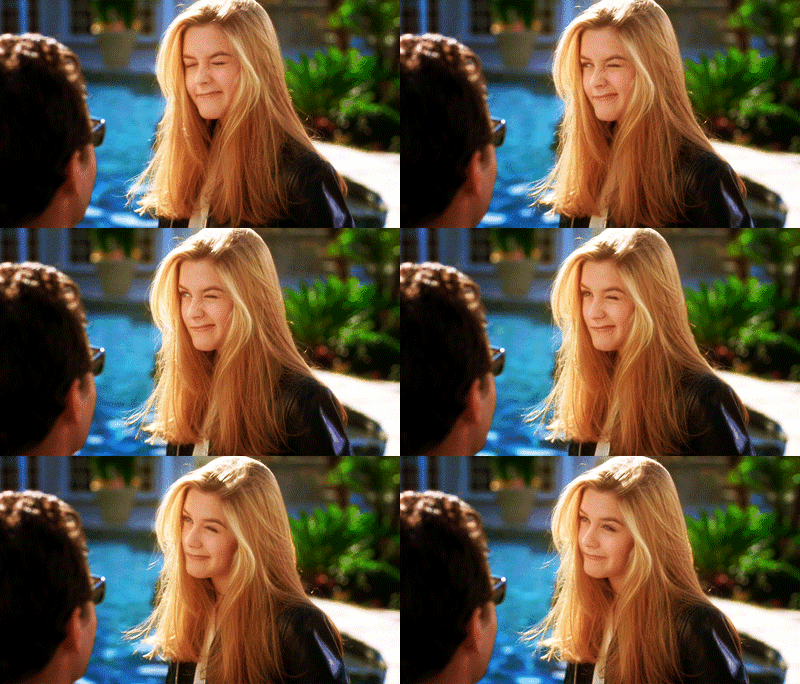

"Meh. Maybe not so much."

Bad editing is what gives self-publishing a bad name — and we’re not talking about asking your aunt, who happens to be an English teacher, to proofread your manuscript. You need a proper editor.


Think about it. A publisher would never receive a manuscript and send it right to print without going over it with a fine-tooth comb, whether you're a new or seasoned author. And they aren’t only looking for spelling and punctuation.


Things your editor will be looking for


  • Tightening sentences

Cut superfluous words –
Why say it in five words when three will do? Novel writing isn’t like middle school essay writing. I’m sure you know what I mean. We all did it, added extra “ands” or anything else we could to fill that 2-page essay. More words doesn’t mean better.
Example:  The manager of the bank
Instead:  The bank manager

Cut repetitive words –
For example:  She walked over to the door and opened the door.
Instead:  She walked over and opened the door.

Not just in the same sentence:  A chill settled on her skin. She wrapped her arms around herself, but couldn’t chase the chill away.
Instead:  A chill settled on her skin. She wrapped her arms around herself, but couldn’t chase it away.

These are just things that tend to stand out or trip up a reader, taking them out of the story.


  • Consistency

Be consistent with your spelling and terms.
For example:  If you’ve been referring to a weapon as a knife, don’t suddenly call it a dagger; or reference a soul, when up til now it’s been a spirit.

Use consistent style guides. (Chicago Manual, APA, MLA, etc...)
For example:  AM/PM vs A.M./P.M. and ok vs okay


  • Punctuation

Watch for correct use of and commonly misused punctuation. A big no-no is excessive exclamation marks. They should be used sparingly and almost never in narrative.


  • Grammar

Making sure of correct use of words like:  was/were, is/are, who/whom, further/farther, lay/lie, and so on...

Watching for things like:  clichés, split infinitives, and overuse of dependent clauses ending in “ing”


  • Dialogue tags

Keep them simple:  said, asked, whispered, shouted, etc…

In addition to keeping it simple, try:  “Nice to meet you,” he said.
Instead of:  “Nice to meet you,” he said to her.

Watch for excessive dialogue tags. You don’t always need one. Try adding action to convey mood and speaker.
Example:  "I'm stuffed," Dan said. He was so full, he couldn't eat another bite.
Try:  Dan threw his napkin on his plate and leaned back and stretched. “I’m stuffed.”


  • Tense and POV

Making sure the tense stays consistent throughout your story:  past or present

Watch for head-hopping. This is different from an omniscient point-of-view. Head-hopping is when the point-of-view switches characters within a single scene, and without proper transition. The writing can feel choppy. The reader can become confused and feel disconnected, not knowing who they are supposed to identify with.

I found a great example of head-hopping (shown below) on THIS blog.

Jake rolled down the window half an inch, a smirk spreading across his face. The slut would never find her way back without him, and no one would find her until the coyotes had picked her bones clean.

Anna yanked at the door handle. Her chest felt heavy, her lungs unwilling to suck in a full breath. “Unlock the door, Jake. This isn’t funny anymore.”

Jake’s cold blue eyes stared into hers. After all she’d made him suffer through, he was going to enjoy this moment. Savor it like a medium rare T-bone steak.

Now let’s break it apart.

Jake rolled down the window half an inch, a smirk spreading across his face. Sounds like we’re in someone else’s POV here. Someone who’s watching Jake. If we were in Jake’s POV, this would read Jake rolled down the window half an inch and smirked. The slut would never find her way back without him, and no one would find her until the coyotes had picked her bones clean. We’re hearing Jake’s thoughts in Jake’s voice. It’s him, not the author, thinking of Anna as a “slut.”

Anna yanked at the door handle. Her chest felt heavy, her lungs unwilling to suck in a full breath. Now we’re firmly in Anna’s head. Only she can describe how her chest feels and the dread settling there. “Unlock the door, Jake. This isn’t funny anymore.”


Jake’s cold blue eyes stared into hers. Still in Anna’s POV since she’s the one who can see Jake’s eye color. After all she’d made him suffer through, he was going to enjoy this moment. Savor it like a rare T-bone steak. Jake’s thoughts in Jake’s voice again.

I apologize if some of my examples are lame, but hopefully you get the idea.


Thursday, February 26, 2015

Winners, Sales, and Other Stuff

Picture from a reader :)
I can't believe Pleasantwick has been out in the world for two weeks already. This is an exciting time and I'm so proud of my baby. The response has been awesome and humbling.

Here's what's been going on...

My Goodreads giveaway wrapped up with a total of 1153 entries. The winner has been notified and her prize is in the mail. Congratulations Gayle!

I had an interview with blogger Dawn Rumburg of A World Of Possibilities. You can see the interview here.

I also had an interview with a local newspaper. The article will run in next week's issue of the Tioga County Courier. The Owego Pennysaver will also be running an article in the next week or so.

I've been invited to hold an author event and signing at my local library, which is scheduled for March 21 at 2:00. More information on that event here.

**Note - If you're attending this event and would like to pre-order Pleasantwick. You can click on the Buy Now link below.


Which event are you attending?
Thanks for your order. Your copy of Pleasantwick will be waiting for you!

I'm also working with my local Barnes & Noble to hold an event. Date and details have yet to be determined.


Now, for some exciting news...
***FOR 3 DAYS ONLY***
PLEASANTWICK IS AVAILABLE FOR ONLY $0.99
HURRY AND GRAB YOUR COPY BEFORE THE SALE ENDS 3/1

Thanks again for all your support! And if you've read Pleasantwick please consider leaving an honest review on Amazon or Goodreads.
Happy reading!

Tuesday, February 10, 2015

Release Day is Here!


Pleasantwick is now available and I'm giving away a signed paperback copy on Goodreads. Click here to enter.


You can find Pleasantwick on
I'm so excited for you to read it and look forward to hearing what you think!

Make sure you sign up for my mailing list to get up-to-date information on sales, author events, interviews, and giveaways. Just enter your email address right over there on the side bar ------->

Thanks so much for all your support. Happy reading!

Thursday, January 29, 2015

Release Date for Pleasantwick!

It's been a busy few months, but I'm excited to announce the time is finally here.
PLEASANTWICK will release on February 10th, 2015!


At this time it will be available for Kindle only. However, I'm working on other devices and print books, and will keep you posted on their availability.

PLEASANTWICK will be available for pre-order on Amazon within the next day or two. Again, I will keep you posted.

But in the meantime, check it out on Goodreads. And be sure to add it to your WANT TO READ shelf.

I want to thank you all in advance for all your continued support. You're the best!

Thursday, January 1, 2015

We survived 2014. Yay us!


It was an interesting year. I made some big decisions. And I worked hard to carry them through. But unfortunately, and this was news to me, I don't have control over everything and everyone. [Note to self - work harder on world domination in 2015.]

So yeah, I wasn't able to get PLEASANTWICK ready in time for a December release. I want it to be the very best it can be.

That being said, I'm pretty excited for 2015!

I'll be announcing an actual release date soon, and starting the giveaway. And after all those years of work, I'll finally be a published author.

Thanks for sticking in there with me. Let's make this year a great one.